
Documentation
Seiton documentation
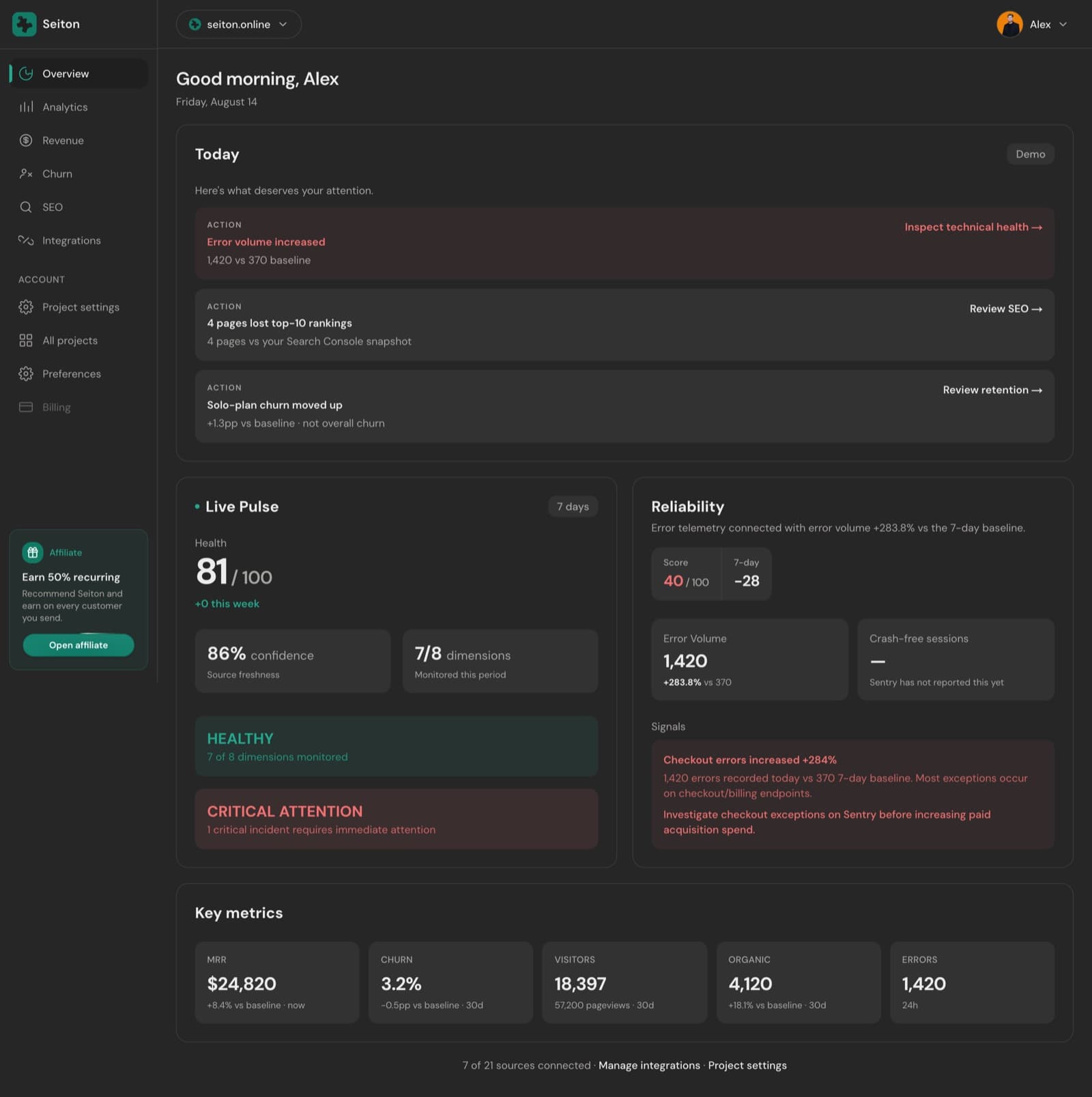
Seiton reads the tools your SaaS already runs on, scores what it finds across 8 dimensions, and sends you one briefing at 08:30 local. This is how every part of that works.
What it is
- Read-only. The single object Seiton ever creates in a connected tool is one webhook endpoint at a billing provider, and disconnecting deletes it again.
- Missing is not zero. A source that has never synced shows as insufficient data, never as a confident 0.
- One number per fact. Two tools reporting visitors do not get summed — one owns the field, the other is context. See Metrics & ownership.
How a briefing is produced
- 1Connect. Each category — billing, SEO, reliability, analytics, hosting, database — holds at most one primary source. Billing is the only one worth connecting first.
- 2Sync. A cron job pulls every connected source every 6 hours; billing webhooks push the urgent events in between.
- 3Snapshot. Results are written to one daily snapshot per project, each field tagged with the source that owns it.
- 4Score. The engine compares today against the baseline, raises signals, and computes 8 dimension scores plus a weighted composite.
- 5Decide. Today picks the few items worth acting on and attaches the page that answers each one.
- 6Deliver. At 08:30 local the same content goes out by email, Slack, Discord or webhook.
The words used everywhere
| Term | Meaning |
|---|---|
| Project | One product: a domain, its connected sources, its briefing and its team. |
| Source | A connected provider — Stripe, Search Console, Sentry, PostHog. Each category slot holds one primary. |
| Snapshot | The day's metrics for a project. Each field records which source wrote it. |
| Signal | A detected change with a severity — churn moved, errors spiked, rankings dropped. |
| Dimension | One of the 8 scored areas: revenue, retention, growth, SEO, reliability, infrastructure, product, profitability. |
| Confidence | How fresh the sources behind the score are. It never changes the score itself. |
| Today | The short list of items the briefing leads with, each one with an action link. |
Start here
Quickstart
Add a site, connect billing, install the snippet, read the first briefing. 14 days, no card.
Dashboard tour
What each page shows and which question it answers.
Integrations
Every provider, what it powers, and exactly how to connect it.
Daily briefing
Delivery time, channels, recipients, and sending one on demand.
Reference and trust
Developer reference lives on its own pages: REST API, CLI and MCP server. They share one token type, one envelope and one rate limit — start here if you want an agent reading your metrics.
What is read, what is stored, and how to revoke it is on the Security page, with the Privacy policy and the DPA.
Want to look before you connect anything?
Something here wrong or missing? hello@seiton.online