
Connect your stack
Analytics snippet
The first-party tracker behind visitors, pageviews, channels and goals. One script tag, no third-party calls, and a cookieless mode that needs no consent banner.
Install
data-website-id. Paste it into the <head> of every page and deploy.<script
defer
data-website-id="seid_xxxxxxxxxxxx"
data-domain="yourdomain.com"
data-cookieless="true"
src="https://www.seiton.online/js/script.js">
</script>Next.js, using the root layout so it loads on every route:
import Script from "next/script";

// app/layout.tsx — root layout so it loads on every page
<Script
  src="https://www.seiton.online/js/script.js"
  data-website-id="seid_xxxxxxxxxxxx"
  data-domain="yourdomain.com"
  data-cookieless="true"
  strategy="afterInteractive"
/>
Google Tag Manager, as a Custom HTML tag:
<script>
  (function() {
    var script = document.createElement('script');
    script.defer = true;
    script.setAttribute('data-website-id', 'seid_xxxxxxxxxxxx');
    script.setAttribute('data-domain', 'yourdomain.com');
    script.setAttribute('data-cookieless', 'true');
    script.src = 'https://www.seiton.online/js/script.js';
    document.head.appendChild(script);
  })();
</script>- Shopify — paste the script tag into
theme.liquidbefore</head>. There is no one-click app yet. - WordPress — use your theme's header hook or any "insert headers" plugin. There is no Seiton plugin yet.
- npm — the package is not published; the script tag is the shipped install path.
- The tracker patches
pushState, so single-page apps are handled. Do not fire a second pageview yourself.
Verify
- 1Deploy the site with the snippet in place.
- 2Press Verify. A green result means events are genuinely landing for this project id.
- 3No deploy access? Email the snippet to whoever does — the message is generated from your project, not composed by hand.
Localhost and preview URLs never count
localhost, file:// and *.local entirely, and the ingest endpoint checks that the reported domain is the project's own domain or a subdomain of it. Preview hosts like *.vercel.app will not appear in the dashboard — publish to the real domain.Cookieless or cookie
| Mode | How a visitor is recognised | Trade-off |
|---|---|---|
| Cookieless (default in onboarding) | The server derives a per-day rotating hash from IP and user agent. Nothing is stored in the browser and the raw values are never kept. | No consent banner needed. A returning visitor counts as new the next day. |
| Cookie | A first-party _seiton_vid cookie holds a random id for a year. | Returning visitors are recognised across sessions. It is a cookie, so treat it as one in your policy. |
The toggle sits next to the snippet and is persisted, so the code you copied does not silently change meaning on the next page load.
Goals
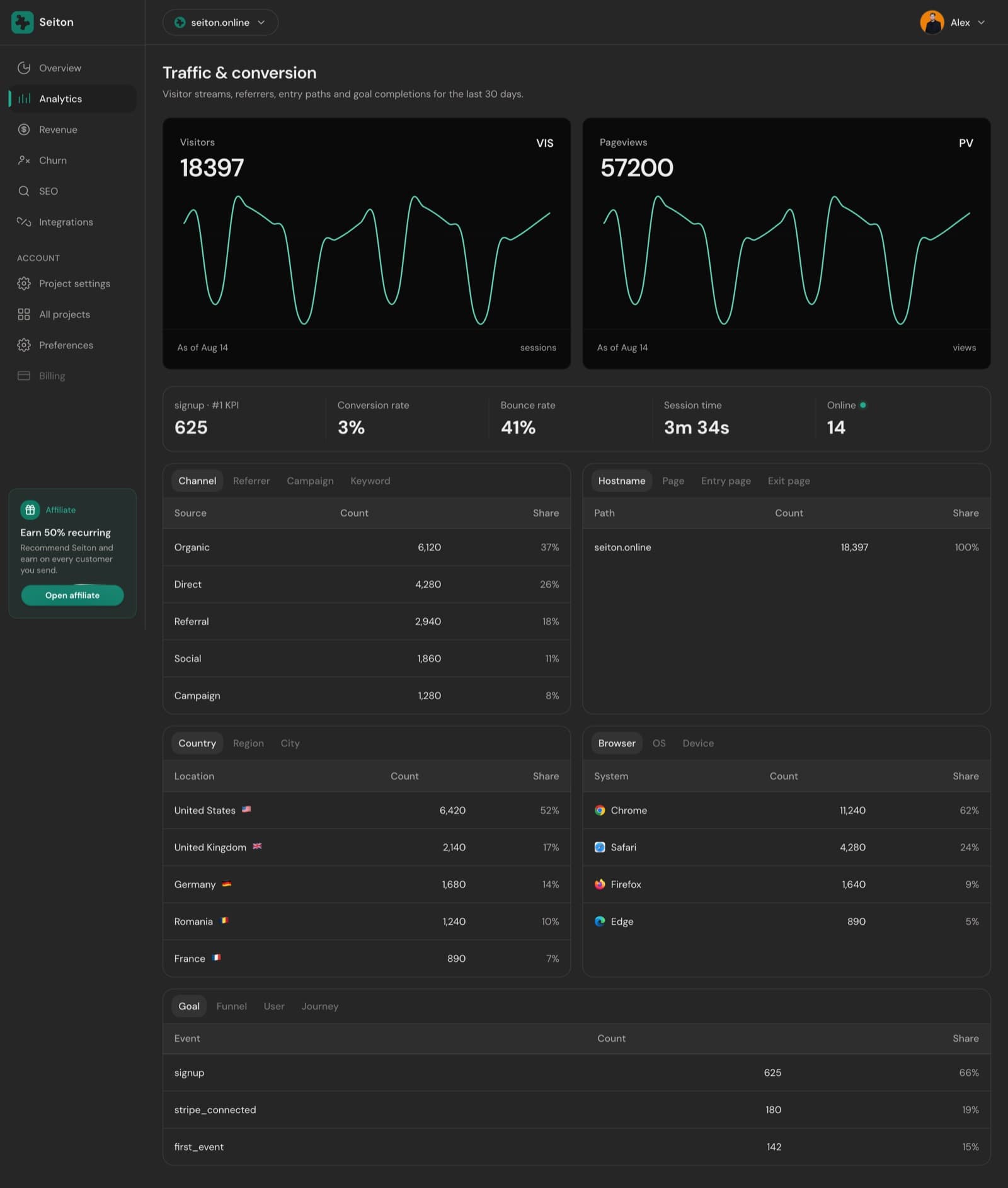
The snippet exposes one function. Call it after a real conversion — a signup, a plan upgrade, a first project created — and it shows up on the Goal tab of Analytics, and in the KPI tile if you mark it as the project's number one.
window.seiton("signup", { plan: "solo" });It no-ops when the snippet is not on the page, so local development and ad-blocked visitors never break your own code.
Excluding your own traffic
- Add
data-exclude="/dashboard,/login,/app"to the snippet to skip whole path prefixes — the usual answer for a private app served from the same domain. - Project settings → Exclusions holds the same idea for paths and addresses you decide later.
- Engagement time is sent on tab close, so a session that ends by closing the tab still reports honestly.
What you get, and what you will not
- Sessions split a visitor's events wherever they went quiet for 30 minutes. Bounce rate is single-pageview sessions over sessions; session time is the mean of the rest.
- Channel comes from UTM values first, then the referrer host — including an AI-assistant bucket.
- Not available: funnels, journeys, crawler traffic and hostname splitting. They are shown as unavailable rather than estimated — a browser tracker cannot see a bot, and every event is checked against the project's own domain at ingest.
Prefer a tool you already run? GA4 and PostHog can fill the same slot — but only one owns traffic at a time. See Metrics & ownership.
Something here wrong or missing? hello@seiton.online