
Get started
Quickstart
Five steps, in the order the product asks for them. Only the first is required to have an account; the briefing gets sharper with each one after it.
Before you start
A Seiton account starts a 14-day trial with no credit card. Have admin access to your billing provider ready — that is the one connection that makes the first briefing worth reading.
1. Add the project
Sign up, and onboarding opens at
/dashboard/new. Give the project a name, its domain, and the timezone you actually live in — every window in the product, and the briefing clock, is computed in that zone.The timezone is not cosmetic
Briefings go out at 08:30 local. Set the zone wrong and the mail arrives in the middle of your night. You can change it later in Project settings → General.
2. Connect revenue
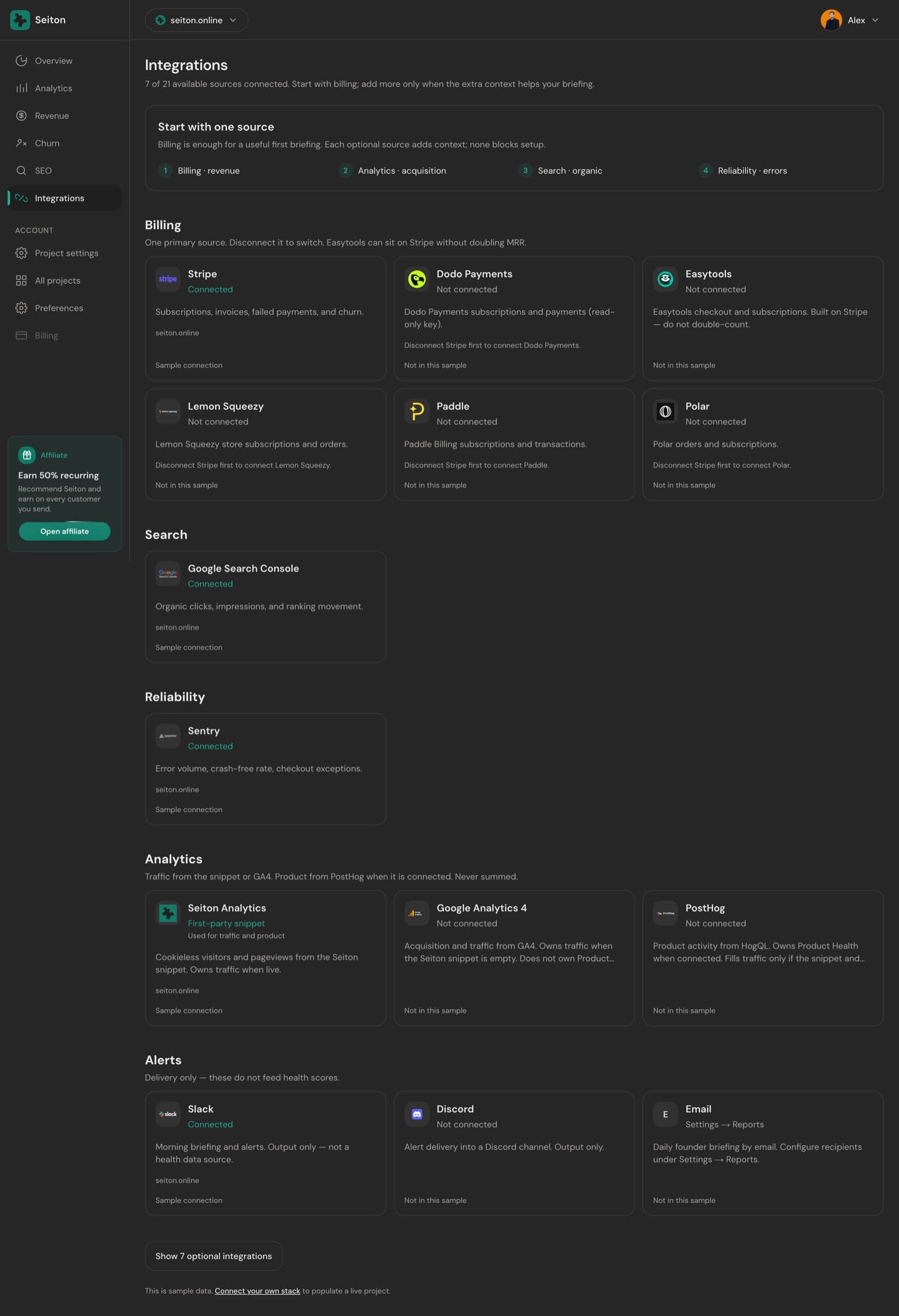
Stripe, Paddle, Polar, Lemon Squeezy, Dodo or Easytools. This step comes before the snippet on purpose: it is one OAuth click or one pasted key, and it produces MRR, churn and failed-payment numbers immediately, while a snippet needs a deploy.
- One primary billing source per project. Connecting a second is blocked until the first is disconnected — that is what keeps MRR from being counted twice.
- Skipping is allowed. Revenue then reads insufficient data rather than $0.
- Provider-by-provider steps are on the Integrations pages.
3. Install the analytics snippet
This is the first-party, cookieless tracker behind visitors, pageviews and the traffic half of Growth. Paste it in the
<head> of your site and deploy.<script
defer
data-website-id="seid_xxxxxxxxxxxx"
data-domain="yourdomain.com"
data-cookieless="true"
src="https://www.seiton.online/js/script.js">
</script>Your real snippet carries your own data-website-id. Press Verify after deploying — Seiton sends a test ping and reads it back out of your own event stream, so a green check means events are genuinely landing. Framework variants, the cookieless toggle and the handoff email are on the Analytics snippet page.
4. Add search and errors
Optional, and both are OAuth. Google Search Console fills the SEO dimension; Sentry fills Reliability. Neither blocks anything — a project with billing alone still gets a briefing.
5. Read the first briefing
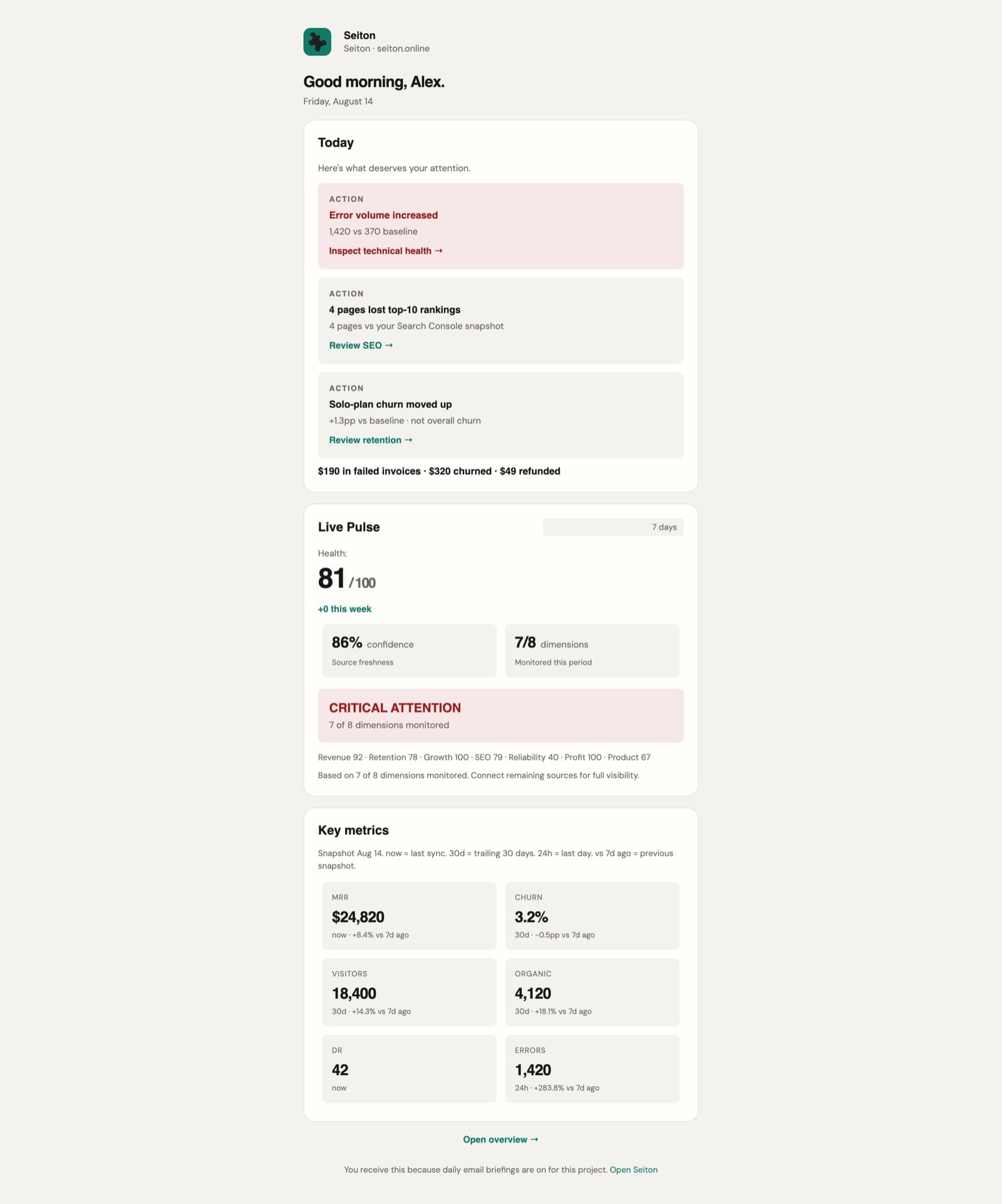
The overview computes as soon as the first sync lands. Confidence will be low while only one or two sources report, and the score says so instead of pretending to certainty.
- 1Open Project settings → Reports, add the recipients, and press Send briefing now to see today's mail immediately.
- 2Add Slack or Discord under Alerts if you would rather read it in a channel.
- 3From then on it arrives on its own at 08:30 local, in the project's timezone.
Something here wrong or missing? hello@seiton.online