
Connect your stack
Integrations
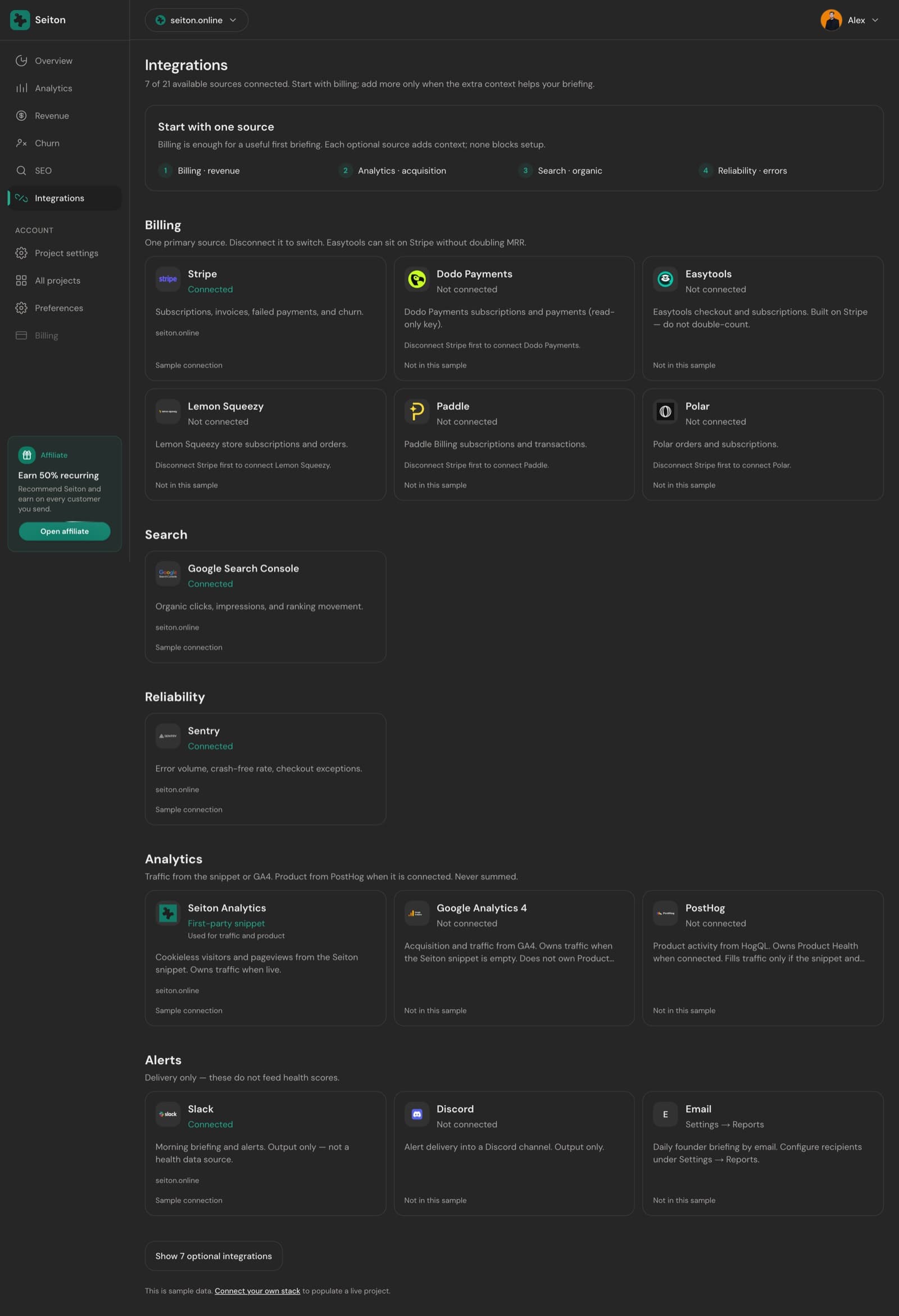
18 connectable sources across 9 category slots. Each category holds at most one primary source, which is what keeps one fact from having two answers.
Category slots
A project is a set of slots, not a list of apps. Billing is the only one worth connecting on day one; everything else adds context to a briefing that already works.
| Category | Required | Providers |
|---|---|---|
| Billing | Yes | Stripe, Paddle, Polar, Lemon Squeezy, Dodo Payments, Easytools |
| SEO | Optional | Google Search Console |
| Reliability | Optional | Sentry |
| Hosting (optional) | Optional | Vercel |
| Database (optional) | Optional | Supabase |
| Product analytics | Optional | Seiton Analytics, PostHog, Google Analytics 4 |
| Source control (optional) | Optional | GitHub |
| Issue tracker (optional) | Optional | Linear |
| Notifications (output only) | Optional | Slack, Discord, Email |
How connecting works
- 1Press Connect on a provider. OAuth providers send you to their consent screen; the rest ask for a key, with a link to the exact page that issues it.
- 2Credentials are validated immediately. An invalid or over-privileged key is rejected at the door rather than stored and failing quietly later.
- 3They are then encrypted and stored in a vault the browser cannot read. The dashboard only ever shows a masked preview.
- 4A first sync runs straight away, so a connection either produces data or produces an error you can see — never a silent healthy badge.
- 5Billing providers also get one webhook endpoint registered in your account, so payments and cancellations arrive as they happen.
After connecting
- Sync cadence. A cron job refreshes every connected source every 6 hours. Billing webhooks trigger an extra sync on the events that matter.
- Freshness. Each provider has its own staleness window — six hours for billing, two for error and infrastructure sources, a day for Search Console. Past it, the source stops counting toward the score.
- Healthy is earned. A provider only shows healthy after a sync actually succeeded.
- Disconnecting deletes the stored credentials, removes the webhook endpoint Seiton created, and strips the fields that provider owned out of your snapshots. Revoking access at the provider works too — you do not need us to complete it.
Every provider
 StripeSubscriptions, invoices, failed payments, and churn.
 PaddlePaddle Billing subscriptions and transactions.
 PolarPolar orders and subscriptions.
 Lemon SqueezyLemon Squeezy store subscriptions and orders.

 Dodo PaymentsDodo Payments subscriptions and payments (read-only key).
 EasytoolsEasytools checkout and subscriptions. Built on Stripe — do not double-count.
 Google Search ConsoleOrganic clicks, impressions, and ranking movement.
 SentryError volume, crash-free rate, checkout exceptions.
 VercelDeployments, build failures, and hosting health. Optional.

 SupabaseDatabase, Auth, Storage, and Realtime health. Optional — not a table browser.
 Seiton AnalyticsCookieless visitors and pageviews from the Seiton snippet. Owns traffic when live.
 PostHogProduct activity from HogQL. Owns Product Health when connected. Fills traffic only if the snippet and GA4 are empty.

 Google Analytics 4Acquisition and traffic from GA4. Owns traffic when the Seiton snippet is empty. Does not own Product Health.

 GitHubCompleted GitHub Actions workflow success and failure rate for one selected repository.

 LinearIssue tracker context. Not a product-engagement sensor.

 SlackMorning briefing and alerts. Output only — not a health data source.
 DiscordAlert delivery into a Discord channel. Output only.
 EmailDaily founder briefing by email. Configure recipients under Settings → Reports.
Missing a tool you use?
Ask for it
Tell us which one and what you would want out of it — hello@seiton.online. New sources ship in the order founders actually ask for them.
Something here wrong or missing? hello@seiton.online